Offload cards with proof.
Caming copies your camera cards to every destination at once, verifies every byte (XXH128 + SHA‑256 + MHL), builds proxies and a report — then tells you when it's truly SAFE TO EJECT. Built for DITs and small post teams.
Try it free, then $99 one-time · free forever for students & non-profits
Complete camera ingest, from card to editorial
Caming is a native desktop application that manages the entire ingest pipeline between your camera cards and your edit suite. Automated, verified, and fully tracked.
Plug in any ARRI, RED, Sony, Canon, Blackmagic, or Panasonic card. Caming recognizes the format, parses the clip structure, and shows you everything on it: thumbnails, timecodes, metadata, the lot.
Every single byte is hash-verified (XXH128 + SHA-256). MHL chain-of-custody files are generated automatically. If even one bit is wrong, you know about it. The card is write-protected during the entire process.
Automated quality checks (black frames, audio levels, timecode gaps, sync). GPU-accelerated proxy generation. LUT baking. Then it delivers: local drives, NAS, S3, or straight to editorial. Slack notifications when it's done.
That's the short version. There's a lot more under the hood.
Professional ingest features
Every feature in Caming was built around real production requirements, from single-camera indie shoots to multi-station broadcast facilities.
Full playback control with LUT support
Full playback engine with JKL shuttle, frame-accurate seeking, SMPTE timecode overlay. Supports MXF, XAVC, BRAW, R3D. Basically everything FFmpeg can decode.
- 3D LUT support (.cube) with trilinear interpolation
- Bundled LUTs: S-Log3, V-Log, LogC, REDLogFilm → Rec.709
- HDR preview with PQ/HLG tone mapping
- 16-channel audio meters with solo/mute
- In/out marking, subclips, circle takes
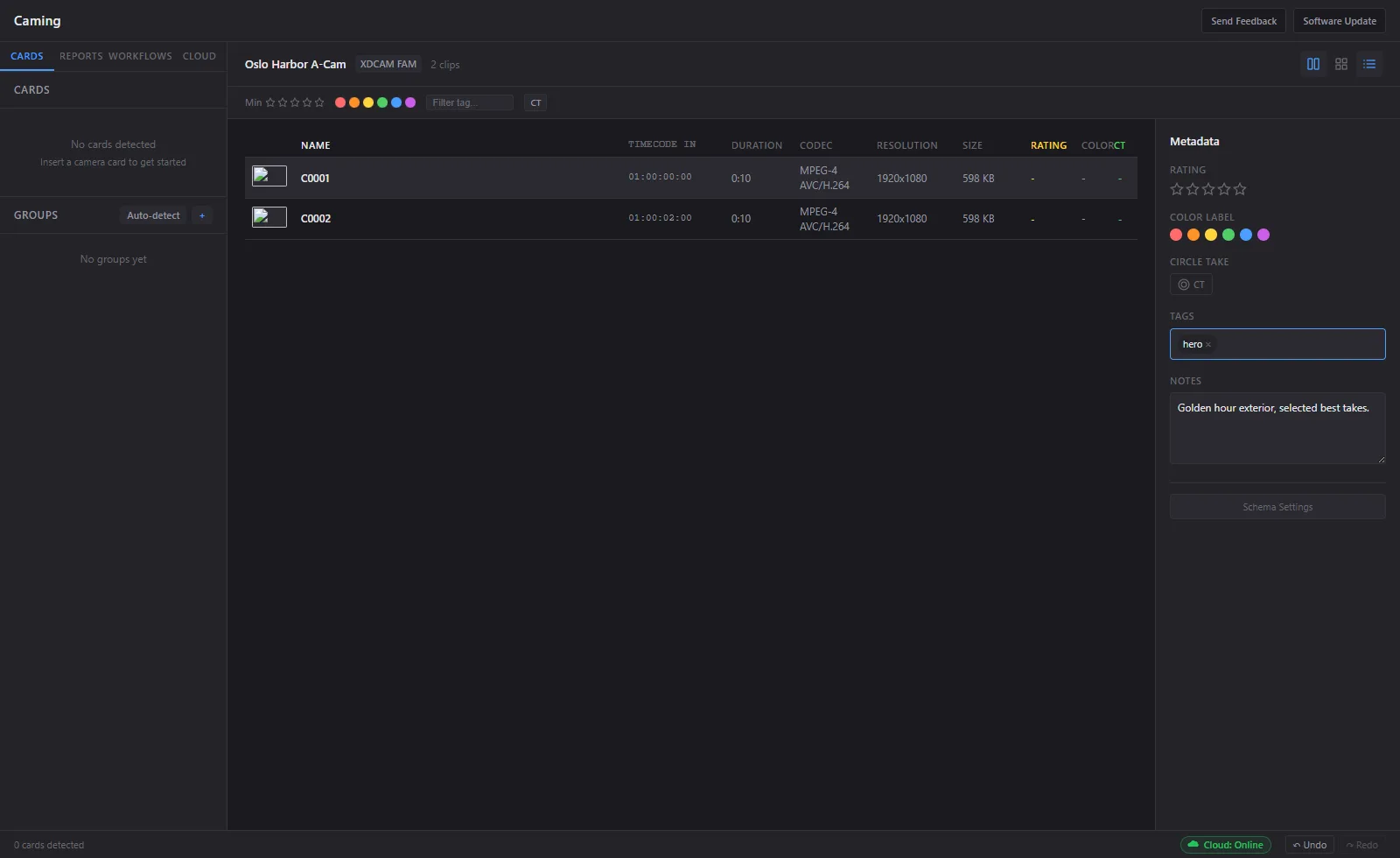
Bit-perfect copies with MHL chain-of-custody
Every transfer is verified bit-by-bit. MHL v1/v2 chain-of-custody files are generated automatically. Support for XXH128 (fast), MD5 (legacy), and SHA-256 (compliance). Cards are write-protected during the entire ingest process.
- Bit-perfect verification on every copy
- MHL chain-of-custody (industry standard)
- Crash recovery resumes from byte offset
- Detailed ingest reports (PDF + HTML)
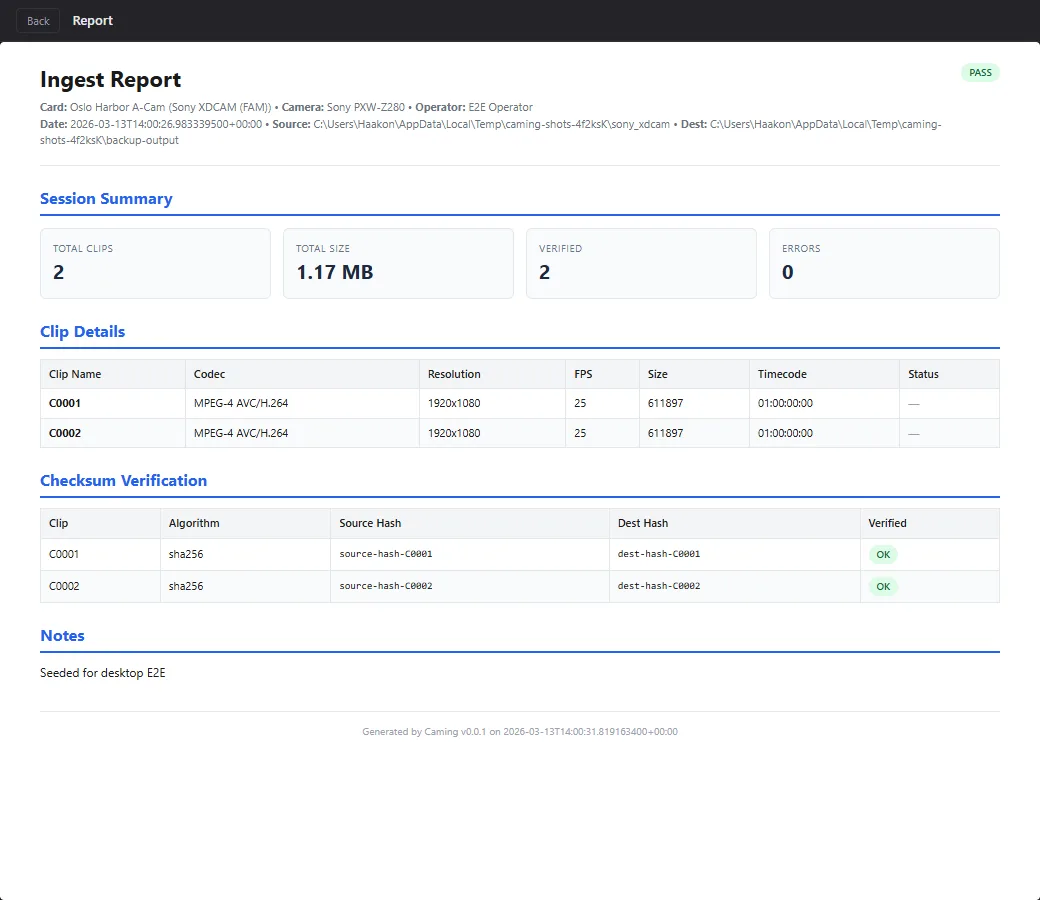
Automated pipelines with custom templates
Chain any combination of steps: ingest, verify, QC, transcode, watermark, deliver, notify. Set it to auto-trigger when a card is inserted, or run on a schedule. Share workflow templates across your team.
- Visual workflow designer (drag and drop)
- Pre-built templates: News, Drama Dailies, Sports
- Watch folder & auto-trigger modes
- Notifications: Slack, Teams, email, webhooks
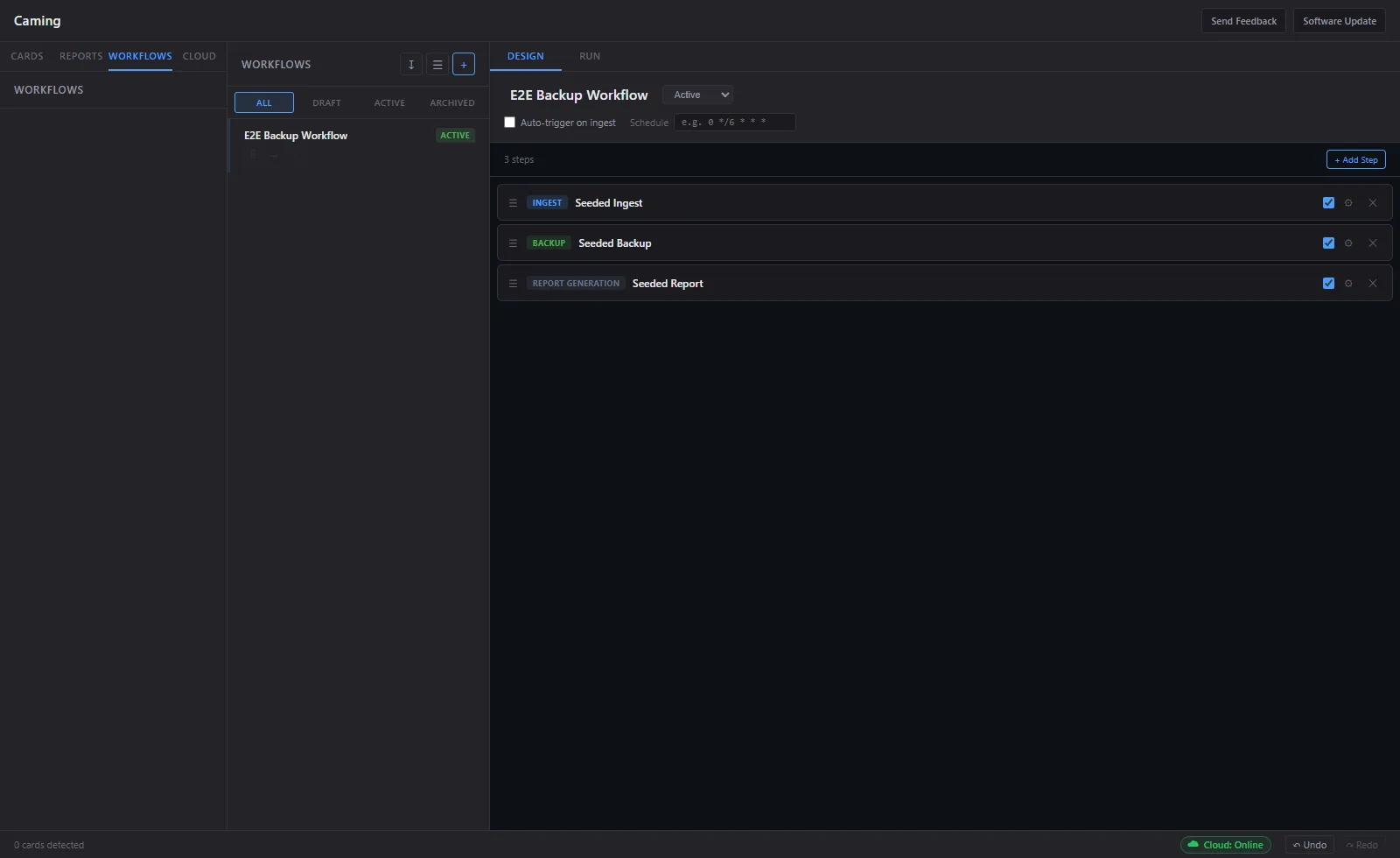
Quality Control
Black frames, audio silence, timecode gaps, A/V sync, and codec conformance. Custom QC profiles with configurable strictness levels.
GPU Transcode
NVENC, VideoToolbox, VA-API. ProRes, DNxHR, H.264, H.265. Watermarking, LUT baking, and timecode burn-in.
Cloud & Multi-Station
Upload to S3, GCS, Backblaze, or MinIO. LAN discovery, distributed job routing, and duplicate ingest prevention.
Admin Portal
Web-based fleet management: license seats, workflow deployment, ingest reports, and analytics. Role-based access control.
Plugin Architecture
Rust SDK for custom camera format plugins. Drop in a .dll/.so/.dylib and Caming hot-reloads it instantly.
Metadata & Compliance
Custom field schemas with pre-built templates for News, Sports, and Drama. GDPR-ready with full audit trail.
Native, not another web wrapper
Caming is a native desktop application built with Rust and Tauri. Not Electron. Fast startup, minimal footprint, and no unnecessary resource usage.
Install size. Electron who?
Backend. Memory safe. Fast.
Windows and macOS.
NVENC, VideoToolbox, VA-API.
Buy once. Yours to keep.
One-time payment, perpetual license. No subscription, no per-seat tax, no usage caps.
For DITs, freelancers, and small post teams. Offload, verify, and deliver with confidence — pay once, use it on your own machines, free updates through v1.
Buy Caming — $99Email us and we'll send your license. 14-day money-back if it doesn't work for your setup. Try free before you buy.
- Reads ARRI, RED, Sony, Canon, Blackmagic & Panasonic cards
- Multi-destination verified copy (XXH128, MD5, SHA-256)
- MHL chain-of-custody on every offload
- Built-in media player with 3D LUT support
- Proxy / dailies generation & transcode
- PDF + HTML offload reports
- Crash-recovery resume from byte offset
- Works fully offline (offline license activation)
- Free updates through v1 & email support
Students & Non-profits
Full access, no limitations, free forever.
Available to students with a valid institutional email and registered non-profits / NGOs. Email us to apply. No forms, no committees.
Request Free LicenseStudios & Enterprise
For facilities running multiple ingest stations.
Everything in Personal, plus the admin portal & fleet licensing, multi-station LAN sync, analytics, automated workflows, cloud delivery, SSO/SAML, on-premise license server, and dedicated support.
Contact UsBuilt for productions where failure is not an option
From on-set DIT workflows to managed post-production facilities.

Live Broadcast & News
Rapid ingest and turnaround for breaking news, sports, and live events. Auto-proxy generation means editorial can start cutting while cards are still being verified. Time is everything. Caming doesn't waste it.

Post-Production Facilities
Managed ingest bays with fleet licensing. Deploy standardized workflows across all stations. Compliance exports, audit trails, and integration with your existing editorial systems. Admin portal for the whole fleet.

Scripted & Documentary
On-set DIT workflows with circle takes, metadata schemas, and verified chain-of-custody reporting. Star ratings, color labels, and custom fields. Everything the editor needs, attached before the card leaves set.

Built by film and broadcast professionals
Caming is made by Saga, a small studio in Lommedalen, Norway. We build software for industries where getting it wrong isn't an option.
We started Caming because we saw the same story over and over: production teams relying on aging tools, dodgy scripts, or manual copy-paste workflows that nobody trusts but everybody uses. The broadcast industry deserves reliable tools built with Rust, native format parsers, GPU transcoding, and checksum-verified ingest.
Every feature in Caming exists because someone on a real production needed it. If you need something we haven't built yet, tell us.
Frequently asked questions
Is there a free version?
How does pricing work?
Does it work without internet?
How does it compare to CardAgent / ShotPut Pro?
I'm a student / non-profit. How do I get the free license?
What camera formats are supported?
Download Caming and start free
Try it free with full functionality, then $99 one-time. Free forever for students and non-profits.
macOS (Apple Silicon)
Notarized DMG, ready to install. You'll enter a license or trial code on first launch. Request a trial code by email.
Download for macOSWindows
The Windows build ships per request while we finish the public installer. Email us and we'll send you the download link and a trial code the same day.
Request Windows build